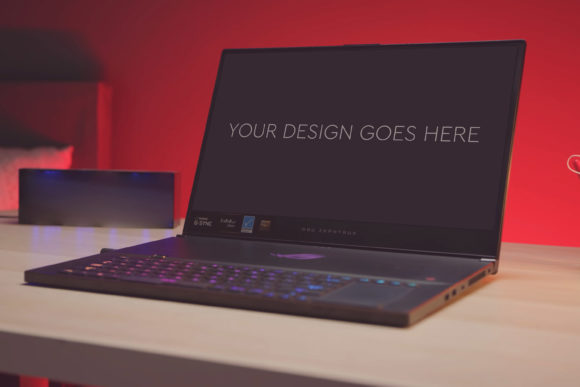
Transform Your Design Presentations with Gaming Laptop Mockup 37
Picture this: you’ve spent hours, maybe days, crafting a brilliant design for a website, a game interface, or a marketing campaign. You’re proud of it. But when you need to show it to a client, post it on your portfolio, or present it to your team, you’re faced with the classic, underwhelming option: a flat screenshot on a blank slide. It feels detached, lacks context, and fails to capture the energy of your work. This is where a tool like Gaming Laptop Mockup 37 becomes invaluable. It’s not just a digital accessory; it’s a presentation bridge that turns your static design into a compelling, realistic scene.
What Exactly Is Gaming Laptop Mockup 37?
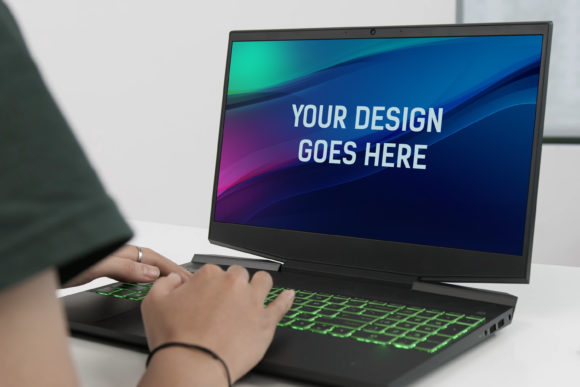
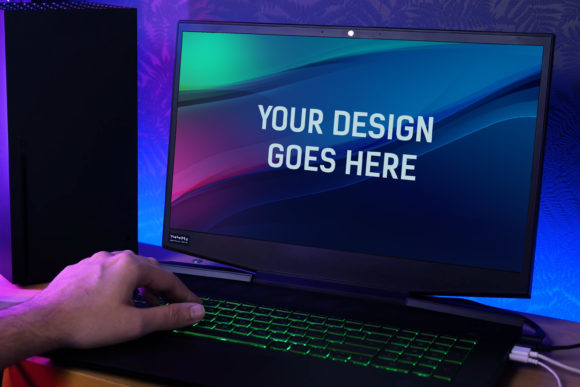
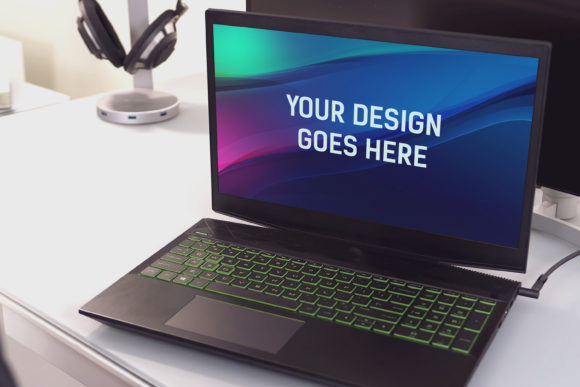
Gaming Laptop Mockup 37 is a high-quality, professionally crafted Photoshop file designed to showcase your digital work on a realistic gaming laptop screen. The mockup comes as a layered PSD file where the laptop screen is a “Smart Object.” This means you simply double-click on that layer, paste your design or screenshot, save it, and the mockup updates automatically. Everything else—the laptop’s angled perspective, the ambient lighting, the keyboard detail, even the included photo filters—is already set up. You’re working with a scene rendered at 3000x2000 pixels at 300 DPI, ensuring print-ready quality and crisp detail for any online use.
The core idea is simplicity for the user. You don’ need to be a Photoshop expert. You don’t need to adjust lighting angles or worry about perspective distortion. The mockup handles the realism, so you can focus entirely on showcasing your design in the best possible light. It removes the technical barrier between a great design and a great presentation.
Real-World Situations Where This Mockup Makes All the Difference
Let’s move beyond the features and into the practical moments where this resource changes the game. These are scenarios familiar to creators, freelancers, and business owners.
For the Freelancer Securing the Next Client
A freelance web designer is pitching to a tech startup. The startup’s brand is dynamic, young, and visually driven. Sending a PDF of wireframes won’t capture that spirit. Instead, the designer uses Gaming Laptop Mockup 37 to place their homepage concept onto the laptop screen. Suddenly, the design isn’t just a layout; it’s a product being used on a device the client’s audience likely owns. The mockup adds context and perceived value. It helps the client visualize the end result not as an abstract concept, but as a tangible experience. This visual proof can be the deciding factor in a competitive pitch.
For the Marketer Building Campaign Assets
A digital marketer is promoting a new gaming peripheral. They need social media ads, newsletter graphics, and blog post featured images. A product photo is good, but showing the peripheral’s accompanying software interface on a sleek gaming laptop is better. By using this mockup, the marketer can create a suite of cohesive assets that tell a story: this is how it looks when you use it. The high-resolution output means the image remains sharp even when scaled for different platforms. The included photo filters allow for quick tonal adjustments to match the campaign’s mood—maybe a cooler filter for a sci-fi game, or a warmer one for a fantasy title.
For the Educator or Trainer Creating Engaging Materials
An instructor teaching UI/UX design needs to show examples of good and bad practices. A slide full of browser windows is forgettable. Placing those examples into Gaming Laptop Mockup 37 frames them as real applications. It makes the lesson more relatable for students who are learning to think about designs in context. Similarly, a tech trainer creating a course on software can use the mockup to make their tutorial thumbnails and course materials look professional and engaging, increasing perceived credibility and student interest.
For the Hobbyist or Blogger Elevating Their Content
A hobbyist blogger reviewing indie games wants their posts to stand out. Using a generic screenshot from the game is easy, but it blends into the background of every other review. Taking a key moment from the game and presenting it through the mockup gives the blog a consistent, premium visual style. It signals to readers that the blogger cares about presentation. For a small business owner selling digital templates or assets, using such mockups in their own product listings demonstrates the quality of their work directly. It’s a form of meta-presentation: using a great tool to showcase other great tools.
The Tangible Benefits Across Different Needs
The benefit of Gaming Laptop Mockup 37 isn’t uniform; it shifts depending on the user’s primary goal.
For the time-sensitive professional, the benefit is speed and consistency. The “very easy to edit by Smart Object” feature means producing a polished presentation asset takes minutes, not hours. This allows for rapid iteration when client feedback comes in, or for creating multiple variations for A/B testing in ads.
For the quality-focused creator, the benefit is in the detail. The high resolution and 300 DPI ensure no pixelation or blurring, which is crucial for portfolio work that might be viewed on high-resolution screens or even printed in a proposal document. The layered and grouped PSD file offers an extra advantage: if you do have more advanced Photoshop skills, you can tweak elements like the background or lighting subtly to perfectly match your brand’s palette.
For the budget-conscious entrepreneur or solo practitioner, the benefit is cost-effectiveness. Achieving a similar level of photographic realism would typically require hiring a photographer with the right equipment, setting up a physical product shoot, and then compositing the design onto the screen—a significant expense. This mockup provides a professional outcome at a fraction of the cost and effort.
What to Consider Before Applying This Mockup
While the tool is designed for ease, a little forethought ensures you get the maximum impact from it.
First, consider the context of your design. A gaming laptop mockup naturally fits digital products, game interfaces, tech-related websites, and software. It might not be the best choice for showcasing a mobile app design or a print magazine layout. The device in the mockup should logically support the content you’re showing.
Second, think about your final output medium. The 3000x2000px size is generous, but if you know your image will primarily be used in a small Instagram story frame, you might crop or adjust accordingly. The high quality gives you flexibility to scale down without loss, but planning your crop or focus area within the mockup’s composition leads to a better result.
Third, a simple but crucial step: ensure your design screenshot is the right dimensions and resolution before you pop it into the Smart Object. A blurry or oddly proportioned design will undermine the polished environment the mockup creates. Take a moment to capture or export your work at a high quality to make the integration seamless.
Finally, remember that the mockup includes beautiful photo filters. These are a starting point. Don’t just apply them arbitrarily. Use them to enhance the story your image tells. Does your design have a dark, atmospheric theme? A slight contrast boost and cooling filter might amplify that. Is it bright and energetic? A warmer, slightly vibrant filter could help. The mockup gives you control; use it intentionally to support your design’s message.
From Feature to Real Outcome
It’s easy to list “layered PSD” or “Smart Object” as bullet points. The real outcome is what matters. The layered PSD means you aren’t wrestling with a flattened, inflexible image; you have the freedom to adapt if your needs change. The Smart Object feature translates directly to saving you from frustration and technical headaches, letting you invest your energy where it counts—in the design itself and in communicating its value. The high-resolution outcome means your work never looks cheap or amateurish when presented to a critical audience.
Gaming Laptop Mockup 37 solves a very specific but common problem: the gap between a finished design and a persuasive presentation. By providing a realistic, easy-to-use frame, it empowers designers, marketers, educators, and creators to shift the conversation from “what it is” to “how it will be experienced.” In a world where visual persuasion is often the key to opportunity, that shift is everything.